Fieldbus settings
You can adjust fieldbus settings in the Fieldbus settings view.
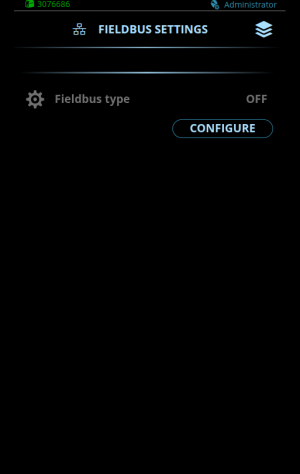
Changing settings
| 1. | Select Configure. |
| 2. | Select the settings parameter for adjustment. |
| 3. | Select the settings value. |
>> Depending on the settings parameter to be adjusted, refer also to the Fieldbus settings tables below for more details.
| 4. | Confirm the new value / selection and close the adjustment view by selecting Save. |
Modbus TCP fieldbus settings
| Parameter | Value | Description |
|---|---|---|
| Identification information | ||
| Vendor name | Kemppi | Vendor identifier assigned to Kemppi. |
| Vendor URL | www.kemppi.com | Vendor's URL address. |
| Product name | DCM | Name of the product. |
| Model name | DCM 2.0 | Name of the product model. |
| User application name | Welding automation | Application description. |
| Connection status | Connected / Not connected | Indicates whether the connection between DCM 2.0 and the robot / cobot is working. |
| Adjustable parameters | ||
| Fieldbus type | Modbus TCP | Fieldbus type selection. |
| Watchdog timeout | 0...50000 ms 0 = Disabled Default = 0 |
Timeout for toggling the watchdog bit. |
EtherNet/IP fieldbus settings
| Parameter | Value | Description |
|---|---|---|
| Identification information | ||
| ODVA Vendor ID | 1403 | Vendor identifier assigned to Kemppi by ODVA. |
| ODVA Device type | 100 | Indication of the general type of the connected device. |
| Product code | 4 | Code from which the robot identifies the connected device. |
| Product name | DCM 2.0 | Name of the product. |
| Connection status | Connected / Not connected | Indicates whether the connection between DCM 2.0 and the robot / cobot is working. |
| Adjustable parameters | ||
| Fieldbus type | EtherNet/IP | Fieldbus type selection. |
| Connection timeout | 1...3600 s 0 = Disabled Default = 120 |
The amount of time in seconds that a connection can be open without activity (read or write) before closing the connection. |
| Watchdog timeout | 1...50000 ms 0 = Disabled Default = 0 |
Timeout for toggling the watchdog bit. |
For information on the parameters essential for configuring the EtherNet/IP fieldbus at the cobot end, refer to EtherNet/IP fieldbus parameters.